As part of the degree course I’m studying, I’m having to learn the Python language, so I figured that I’d take the time to also undertake a few fun projects of my own to cement my knowledge and hopefully document the process somewhat. So, what better way to learn programming than by writing some simple games?
As a first attempt, I’ll be trying to recreate the granddaddy of them all – Pong.
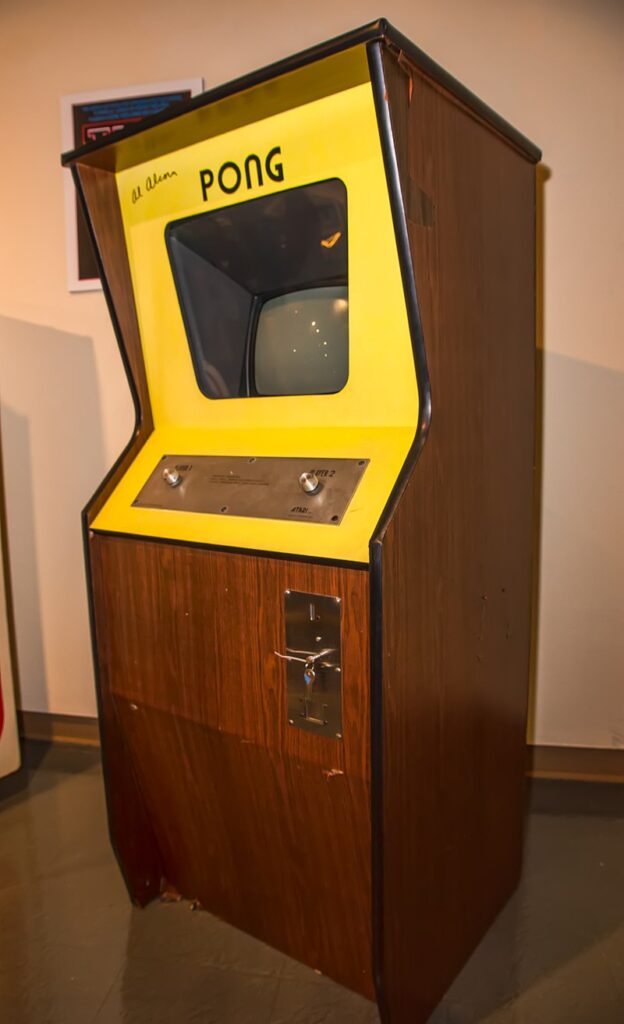
Whilst not the first computer game ever developed, Pong was arguably the one that put Atari on the map.
Developed by Alan Alcorn in 1972, the game turned out to be a runaway success.
For anyone who isn’t aware of the game, it is deceptively simple – the premise being that it is an electronic version of a game of table-tennis where the players control paddles which they can move up and down the screen by way of a rotary controller.
There is a ball which bounces around the screen, bounded at the top and bottom, and is returned across the screen when it collides with the paddle of one of the players. Should the ball pass a player’s paddle without being returned, then their opponent scores a point and the ball resets to the middle of the playfield.

The game ends, when one of the players manages to score 11 points.
To aid difficulty, the ball rebounds at differing angles depending on where it hits the players paddle, and it also speeds up the longer that it remains in play, thus it is possible to add an element of strategy to your play by attempting to have the ball rebound at very obtuse angles which can prove harder for your opponent to return.
The keys to Pong’s success lie in three factors:
First, the game is simple to understand and play. It requires no instructions – the controls and gameplay are inherently intuitive.
Second, the game rewards skillful play. Whilst it is very easy to pick up, a skillful player can make use of the bounce angles to attempt to thwart their opponent. Furthermore, with the gradual increase in difficulty, the player feels that they’re making progress, and will generally blame themselves if they lose a point.
Finally, replay is a very quick turnaround – pump in a new coin to the arcade unit, or hit the ‘Play’ button on a modern variant, and you’re instantly thrown back into the game.
So, now that we’ve got that little piece of history in place, I’ll start exploring how I’ll approach this from a Python perspective.
First and foremost, I’ll need a Python environment – this isn’t an issue – I already have Python 3.9 installed on my machine – I’ll be developing on a Windows 10 box, although when it comes time to test, I’ll be using both Mac and Linux to ensure things work as they should.
The latest version of Python is always available from https://www.python.org/ and the latest stable version (as at the time of writing) is 3.9.5.
As my code editor, I’ll be using the PyCharm IDE from JetBrains. I like the JetBrains IDEs as they provide a rich set of features that are pretty much all accessible directly from the keyboard rather than having to keep fiddling between moving between keyboard and mouse for common operations. I find this speeds up my workflow immensely. Other IDSs are available however and ultimately, it’s a personal preference as to which you choose to use.
One final element that I’ll also need is the PyGame libraries. PyGame is a wrapper for the open source SDL libraries – a general purpose game framework that takes some of the effort out of developing games, and provides fast handling for screen writes and transformations. To install this, once your Python environment is installed, you open a command line and issue the following command:
C:\> py -m pip install -U pygame --userThis will install the pygame libraries to your user library. If you want to install the pygame library globally, simply omit the –user flag at the end of the command line.
… and that’s it for now. In the next installment, I’ll explore some of what I need to consider prior to beginning to cut any code.
I appreciate the fact that technology and games are a big part of life
Nolan Bushnell, founder of Atari